How to Build a Fashion Store in Framer: Free Template, Components and Checkout
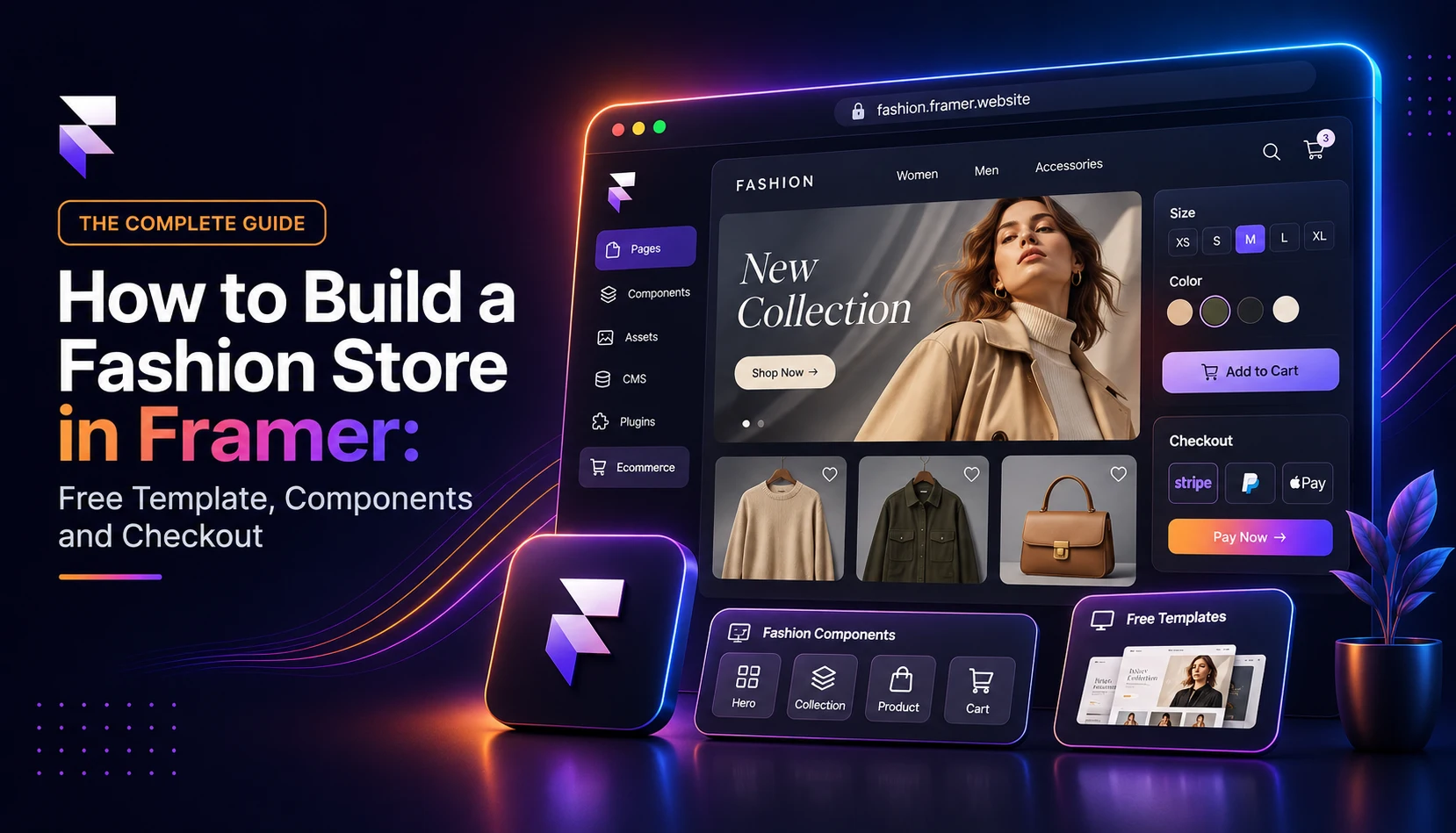
Build a fashion ecommerce website in Framer with a free fashion website template, store components and checkout for WooCommerce or Shopify. No code needed.

TL;DR
- You can build a complete fashion ecommerce website in Framer with a free fashion website template, free FeCommerce plugins and either WooCommerce or Shopify behind it.
- WooCommerce stores connect with the FeCommerce plugin. Shopify stores connect with Shopify Connect. Both are free, and neither needs code.
- FeCommerce has seven fashion templates. Fe Advaita, Fe Blend and Fe Vesture work with WooCommerce, and Fe Brilliance, Fe Lusion and Fe Gownora work with Shopify.
- Free components handle the mega menu, collection previews, hero banners and lookbooks.
- Sizes, colors, stock, cart and checkout all come from your real store.
- Most brands can go from template to live store in an afternoon.
Fashion lives and dies by presentation. Shoppers judge a clothing brand in seconds, based on the photography, the typography and how the site feels as they scroll. That's why so many founders end up frustrated with standard store themes. They work, but they look like everyone else's.
Framer solves the design side. You get full creative control, smooth animations and fast pages. What Framer doesn't include is a shopping cart, product variants or checkout.
This guide shows you how to start an online clothing store in Framer from start to finish. You'll pick a free fashion website template, connect your products from WooCommerce or Shopify, add store components and set up checkout, all without writing code.
Why Framer works for a fashion ecommerce website
Most store builders force you into a theme's layout. Framer works more like a design tool. You place elements exactly where you want them, so your lookbook can feel like a magazine spread instead of a product grid with a banner on top.
For fashion brands, that means:
- Editorial layouts: full-bleed images, oversized type and asymmetric grids that match your campaign shoots.
- Built-in motion: scroll effects, hover states and video heroes without extra code.
- Fast pages: global hosting that keeps image-heavy pages quick.
- Easy edits: your team can swap campaign images or update a collection without a developer.
Add a FeCommerce plugin, and that design-led site becomes a working store.
Step 1: Choose your store backend
Your products, inventory and orders need a home. FeCommerce supports the two most popular options:
| WooCommerce | Shopify | |
|---|---|---|
| FeCommerce plugin | FeCommerce (free) | Shopify Connect (free) |
| How it connects | Free FeCommerce Bridge plus a short approval code | Shopify's Headless sales channel |
| Checkout | On your Framer page with Cash on Delivery, Stripe or Paystack | Shopify's own checkout |
| Best for | Brands already on WordPress, or anyone who wants to avoid monthly platform fees | Brands already on Shopify, or anyone who wants Shopify's checkout and apps |
Already have a store? Use the plugin that matches it. Starting fresh? Choose WooCommerce if you want more control over costs, or Shopify if you'd rather have everything managed for you.
Step 2: Choose a free fashion website template
Starting from a blank canvas is slow. A fashion website template gives you a finished design with store pages already built, so you only need to make it yours.
Templates for WooCommerce stores (via FeCommerce)
| Template | Price | Best for |
|---|---|---|
| Fe Advaita | Free | Slow fashion and editorial labels, with lookbook sections and category edits |
| Fe Blend | Free | Brands that publish content: fourteen pages, filter drawer, wishlist and a journal |
| Fe Vesture | Free | Clothing labels with a minimal style: ink on warm white, wishlist and cart, running on any Framer plan |
Templates for Shopify stores (via Shopify Connect)
| Template | Price | Best for |
|---|---|---|
| Fe Brilliance | Free | Bridal, knitwear and fashion brands, with 21 pages including Stockists and FAQ |
| Fe Lusion | $24 | Luxury labels, with a cinematic video hero and live sizes and stock |
| Fe Gownora | $34 | Atelier-style bridal brands, especially wedding gown keepsake services |
Looking for a free fashion website template? Fe Advaita, Fe Blend, Fe Vesture and Fe Brilliance cost nothing. Pick based on your backend first, then your brand's personality.
Step 3: Connect your products
If you use WooCommerce
- Install the free FeCommerce Bridge on your WordPress site.
- Open FeCommerce in Framer and click Connect store to get a short code.
- In WordPress, go to WooCommerce → FeCommerce, enter the code and click Approve.
- Sync your products.
No API keys needed. Titles, prices, images, variants, stock and categories come straight into Framer. You can sync into Framer CMS (this requires the Pro plan or higher; see Framer's pricing) or show products live from your store on any plan.
If you use Shopify
- Add the Headless sales channel in your Shopify admin.
- Install the free Shopify Connect plugin in Framer and connect your store.
- Sync your products into the template's Products collection.
Every product, price, size and stock level then comes from Shopify, and your Shopify-ready template fills itself with your real catalog.
Step 4: How to create a clothing website shoppers can buy from
With products connected, your store pages need shopping features. FeCommerce's WooCommerce plugin includes drag-and-drop components, and the Shopify templates come with these pages already built:
- Shop page with search, sorting and filters
- Product page with images, price, ratings and reviews
- Variant selector for sizes and colors, which is essential for apparel
- Add to Cart and Buy Now buttons
- Cart drawer that slides open without leaving the page
- Mobile sticky cart that keeps the buy button in view on phones, where most fashion shoppers browse
- Wishlist so shoppers can save pieces for later
Style each one like any other Framer layer so it matches your fonts and colors.
Step 5: Fashion website design with free components
Good fashion website design does two jobs: it makes the brand feel desirable, and it gets shoppers to products fast. These FeCommerce components work with either backend:
- Fe Mega Nav: groups womenswear, menswear, accessories and sale into clean columns, with a featured promo panel for your latest drop.
- Fe Hover Preview: a collection list that swaps a large preview image as shoppers hover, so "Shop by collection" feels editorial.
- Fe Herospot: a full-width lifestyle image with a product spotlight card, showing the mood and the product in one view.
- Fe MissionaryGallery: a captioned masonry gallery made for lookbooks and campaign shoots.
- Fe Nexa Showcase ($5): up to sixteen photos floating in 3D, ideal for a collection launch page.
A few design habits that pay off:
- Keep photography consistent across your catalog: same lighting, backgrounds and crop.
- Show each piece on a model and on its own.
- Keep the add-to-cart button visible on product pages without scrolling.
- Put size guides and shipping details right next to the size selector.
Need inspiration? Open each template's live preview and use it as one of your fashion website examples.
Step 6: Set up checkout and payments
On WooCommerce, FeCommerce includes an on-page checkout, so shoppers pay without leaving your design. It supports Cash on Delivery, Stripe, Paystack, live shipping rates and coupons. Selling in India? Add the free RazorpayKit for UPI and cards.
On Shopify, products, orders and checkout stay in Shopify. Shoppers browse your Framer design and pay through Shopify's checkout, so your existing payment setup and apps keep working.
Step 7: Test and launch
Before you publish:
- Add products in different sizes and colors to the cart
- Apply a coupon and confirm the discount
- Place a test order with each payment method
- Check every page on a real phone
- Fill in page titles, meta descriptions and image alt text, or let the free SEO Toolkit plugin flag what's missing
Then hit publish. Your fashion store is live.
How much does it cost to start an online clothing store this way?
- Free: FeCommerce, Shopify Connect, RazorpayKit, SEO Toolkit, four fashion templates and most components
- One-time: Fe Lusion ($24) or Fe Nexa Showcase ($5) if you want them
- Ongoing: your Framer plan, plus WooCommerce hosting or a Shopify subscription
- Per sale: payment processing fees
Conclusion
Learning how to start an online clothing store used to mean choosing between a store that works and a store that looks good. With Framer and FeCommerce, you get both.
Choose WooCommerce or Shopify, pick a fashion website template, connect your products and drop in a few components. Your fashion ecommerce website can be live in an afternoon and look like it took months.
Browse every plugin, template and component in our Framer Ecommerce Kit, see the full lineup on our products page, or book a call and let our Studio team build your store for you.
Frequently asked questions
1) Can I build an online clothing store in Framer?
Yes. Framer handles the design, and free FeCommerce plugins add products, variants, cart and checkout from your WooCommerce or Shopify store.
2) What is the best free fashion website template for Framer?
For WooCommerce, Fe Advaita suits editorial labels, Fe Blend suits content-led brands and Fe Vesture suits minimal clothing labels. For Shopify, Fe Brilliance is a free 21-page option for bridal, knitwear and fashion brands.
3) Can I use Shopify with Framer for a fashion store?
Yes. The free Shopify Connect plugin syncs your Shopify catalog into Framer, and templates like Fe Brilliance and Fe Lusion fill with your real products, sizes and stock.
4) Do I need coding skills to create a clothing website in Framer?
No. Templates, components and both store connections work through drag-and-drop and simple setup steps.
5) Which Framer plan do I need?
Fe Vesture runs on any Framer plan, and FeCommerce's live mode works on any plan. Syncing WooCommerce products into Framer CMS requires the Pro plan or higher.