Framer hero section component
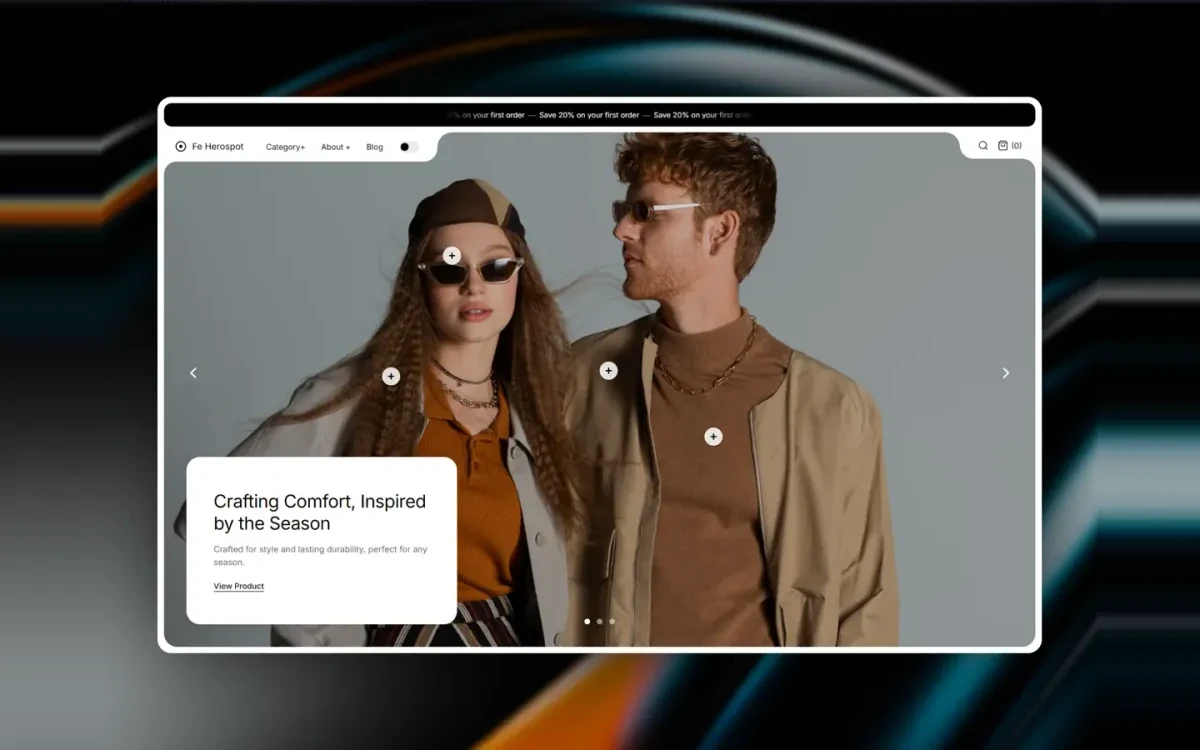
Fe Herospot pairs a full-width lifestyle image with an overlaid product spotlight card and a call to action. It is the hero pattern storefronts keep rebuilding by hand, and keep getting wrong on mobile. Drop it in, point it at the product you want to lead with, and style it from the properties panel. There is no stack of absolutely positioned frames to re-pin at every breakpoint, and no separate mobile hero to keep in sync.
What you get
Product spotlight card
An overlaid card that puts a single product (image, name, price, call to action) on top of the hero image instead of below it, so the first thing a visitor sees is something they can act on.
Full-bleed imagery that survives mobile
The hero image runs edge to edge and crops across breakpoints, so the focal point of the shot stays in frame on a phone instead of sliding out of it.
Editable from the panel
Copy, image, card position and button styling are all property controls. Changing which product the hero leads with is a field edit on the canvas, not a trip into the code.
Where it earns its place
A launch or a drop
One product carries the season. The spotlight card gives it a price and a button above the fold, instead of asking visitors to scroll into a grid to find it.
A single-product landing page
For a one-product brand the hero is most of the page. Lead with the lifestyle shot, keep the buy action pinned to it, and let the sections below do the explaining.
A seasonal campaign slot
Swap the image and repoint the card when the campaign changes. The layout holds, so a merchandising update does not turn into a redesign.
What you can change without code
- Hero image
- Any full-bleed lifestyle image, cropped per breakpoint so the focal point holds on tablet and phone.
- Spotlight card
- Product image, name and price, filled in from the properties panel.
- Card placement
- Where the card sits over the image, so it lands on the quiet part of your photography rather than on the subject.
- Call to action
- Button label and destination, including a Framer CMS product page.
- Type and colour
- Headline, body and card text follow the type and colour styles already set in your project.
- Corner radius
- Card and button radius, so the hero matches the rest of your components instead of fighting them.
Live in three steps
Insert the component
Add Fe Herospot from the Framer marketplace and drop it at the top of your page.
Set your hero product
Choose the background image and fill in the spotlight card: product image, name, price and CTA link.
Match your brand
Adjust type, colors, corner radius and card placement from the properties panel, then publish.
Frequently asked questions
Can it link to a CMS product?
Yes. Point the spotlight card at a product page URL, including a Framer CMS page generated from a catalog synced with FeCommerce or Shopify Connect.
Does it work on mobile?
Yes. The hero image crops across breakpoints so the focal point stays in frame, and the spotlight card reflows with it. You do not need to build a separate mobile hero.
Do I need a plugin to use it?
No. Fe Herospot is a design component and works on its own with a fixed product and link. Plugins only come in when you want the hero pointing at a live catalog: FeCommerce or Shopify Connect for the products, StripeKit or RazorpayKit for the payment.
Can I use more than one on a page?
Yes. It behaves like any Framer component, so you can place several: a hero at the top and a campaign band further down, each with its own image, card and link.
Is Fe Herospot free?
Yes. Fe Herospot is free from the Framer marketplace, with free updates.
Complete your store
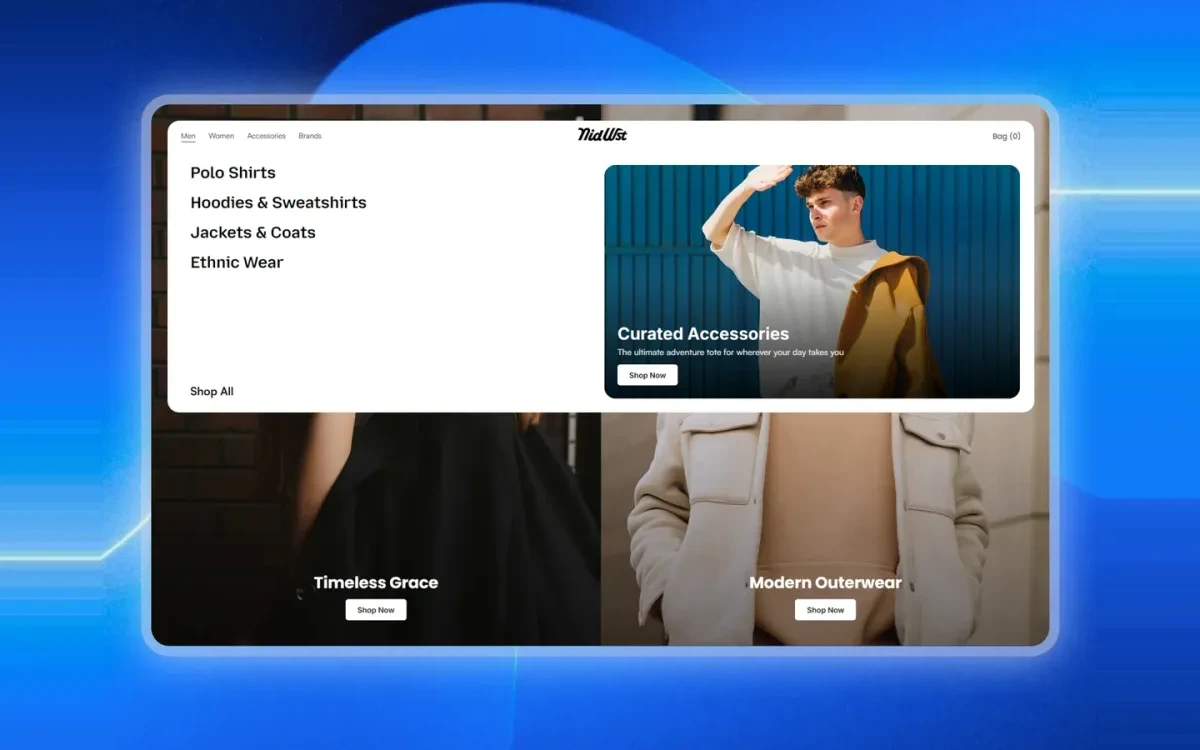
Fe Mega Nav
A multi-column mega navigation with grouped category links and a featured promo panel, built for store headers.
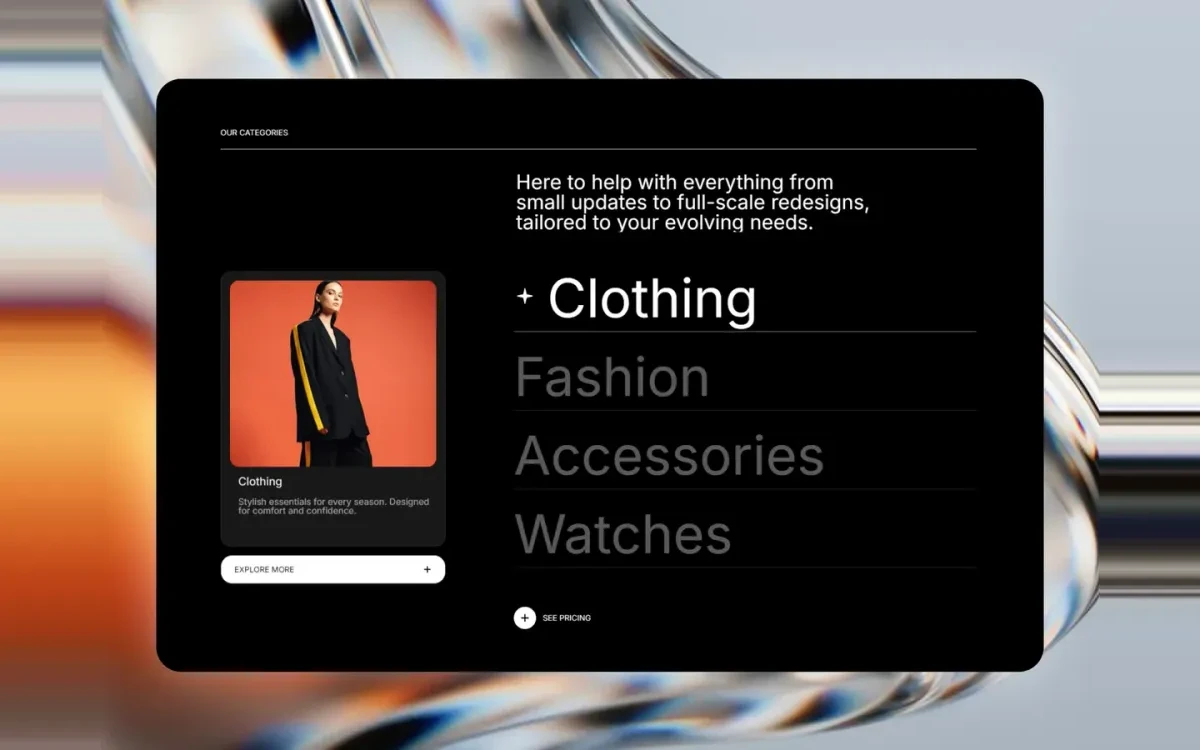
Fe Hover Preview
A category list that swaps a large preview image as you hover each item. Ideal for collection and service sections.
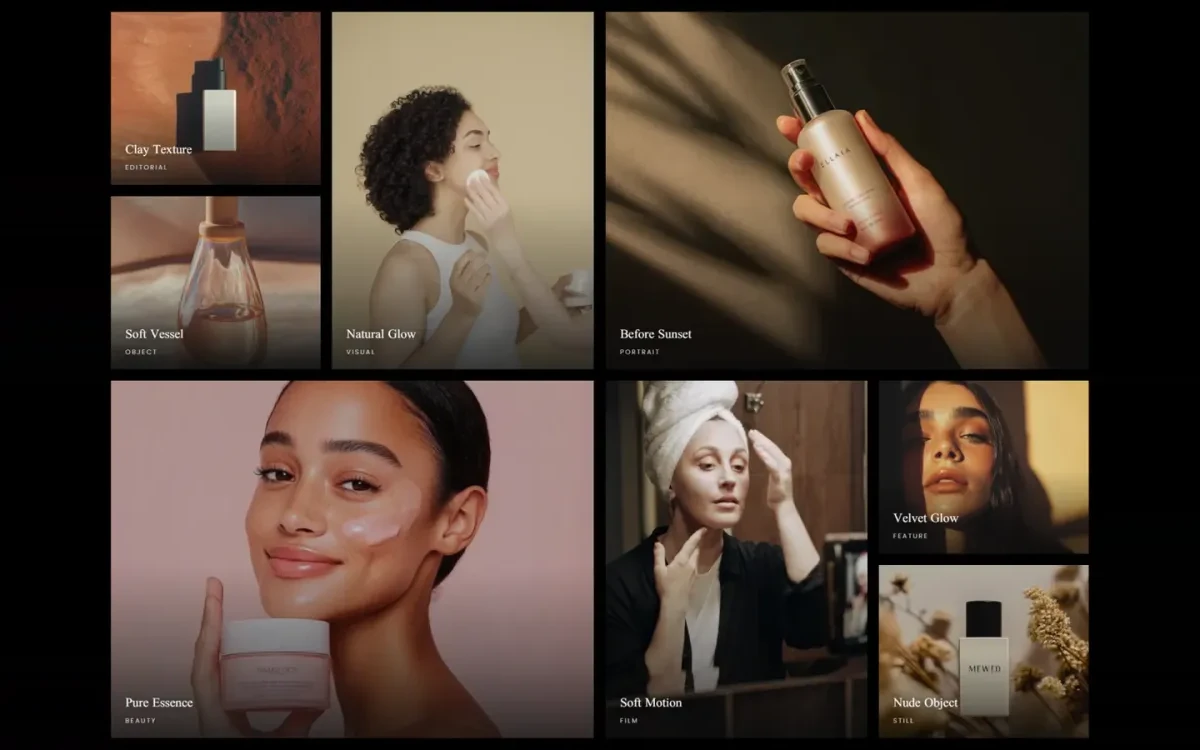
FE MissionaryGallery
A responsive masonry gallery with per-tile captions, sized for lookbooks, product grids and brand story sections.
Start with Fe Herospot
Free on the Framer marketplace, with free updates.